10 Common Reasons Your WordPress Website Is Slow (And How to Fix Them)

A slow website is frustrating.
Visitors don’t like waiting, Google prefers fast websites, and every extra second your pages take to load increases the chance that someone will leave before they even see what you offer.
Many website owners immediately blame their hosting provider when their website becomes slow. While hosting certainly matters, it’s rarely the only reason.
Over the years, we’ve worked on many WordPress websites where the real issue turned out to be something completely different, like oversized images, unnecessary plugins, poorly written themes, or years of unused data sitting inside the database.
The good news is that most performance problems can be fixed once you know where to look.
Here are the ten most common reasons a WordPress website becomes slow and what you can do to improve it.
1. Too Many Plugins
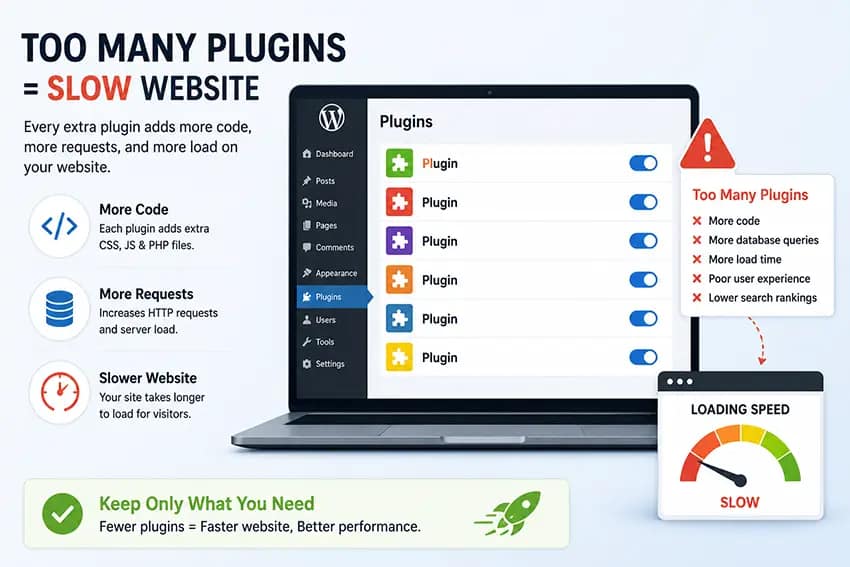
One of the first things we check during a speed audit is the list of installed plugins.
Having a large number of plugins isn’t automatically bad. We’ve seen websites with more than 40 plugins that perform well because they’re properly built.
The real problem comes from plugins that are poorly coded or load unnecessary JavaScript, CSS files, fonts, and database queries on every page, even when they’re not being used.
For example, a contact form plugin shouldn’t need to load its scripts on your homepage if there isn’t a form there.
When several plugins behave like this, the extra requests quickly add up and slow down your website.
What you can do:
- Remove plugins you no longer use.
- Replace heavy plugins with lightweight alternatives.
- Avoid installing multiple plugins that do the same job.
- Review your plugins regularly and keep only those that provide real value.
Sometimes removing just one resource-heavy plugin can noticeably improve loading speed.
2. Poor Quality Hosting

Your hosting provider is the foundation of your website.
If the server is overloaded or under powered, your website may remain slow even after you’ve optimized everything else.
Common signs include:
- Slow WordPress dashboard
- Long waiting time before pages begin loading
- Random slowdowns throughout the day
- Frequent downtime
Shared hosting can work perfectly for many small websites, but once traffic grows or your website becomes more complex, it may be time to upgrade.
Choosing reliable hosting with enough server resources often provides an immediate improvement in website performance.
If your website is growing or your current hosting feels slow, it might be time for a better solution.
At Come2theweb Managed Hosting, we’ve built our hosting specifically for WordPress websites. Even small business websites can enjoy faster loading, better uptime, built-in caching, and regular maintenance, all without paying for resources you don’t need.
Whether you’re running a business website, blog, or portfolio, our hosting is designed to keep your website fast, secure, and reliable.
3. Large and Unoptimized Images
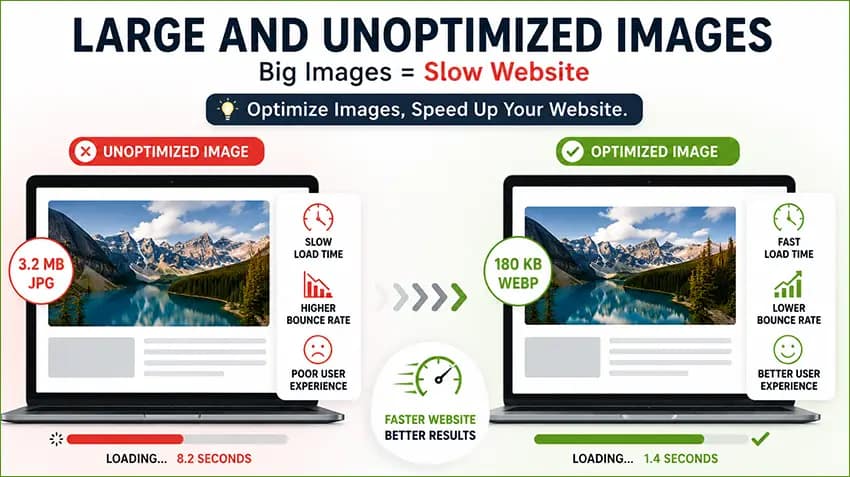
Images are one of the biggest reasons websites become slow.
Many people upload photos directly from a phone or camera without resizing them first. A single image can easily be several megabytes in size.
When multiple large images appear on the same page, visitors have to download all of them before the page fully loads.
This affects both desktop and mobile users.
To improve image performance:
- Resize images before uploading them.
- Compress images without sacrificing noticeable quality.
- Use modern formats like WebP whenever possible.
- Only upload images at the size they’ll actually be displayed.
Small improvements across dozens of images can significantly reduce page load times.
4. Heavy WordPress Themes

Some premium themes advertise hundreds of features, animations, sliders, widgets, and page templates.
While that sounds impressive, many of those features are never used.
The downside is that the theme still loads extra CSS files, JavaScript, fonts, and effects in the background.
Over time, this creates unnecessary overhead.
If performance is important, choose a lightweight theme that’s designed with speed in mind and only loads what’s actually needed.
A clean foundation makes future optimization much easier.
5. No Page Caching
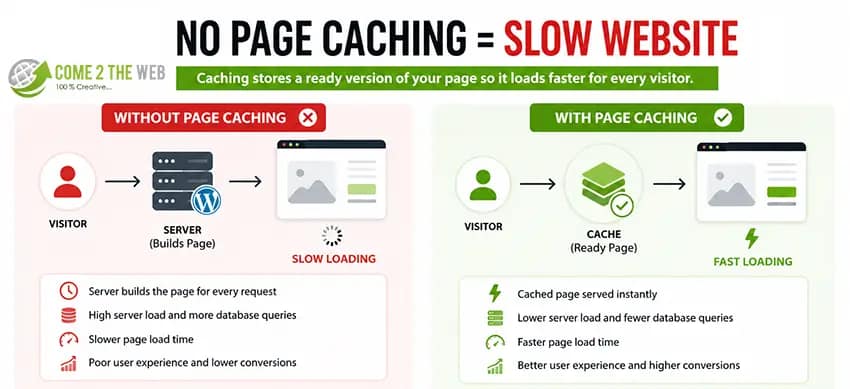
By default, WordPress builds every page dynamically each time someone visits your website.
That means PHP runs, database queries execute, and WordPress assembles the page before sending it to the visitor.
Caching skips this repeated work.
Instead, visitors receive a ready-made version of the page, which loads much faster and reduces server usage.
Most WordPress websites benefit greatly from page caching, especially blogs, business websites, and brochure websites where content doesn’t change every minute.
In many cases, enabling caching is one of the quickest performance improvements you can make.
6. Too Much CSS and JavaScript
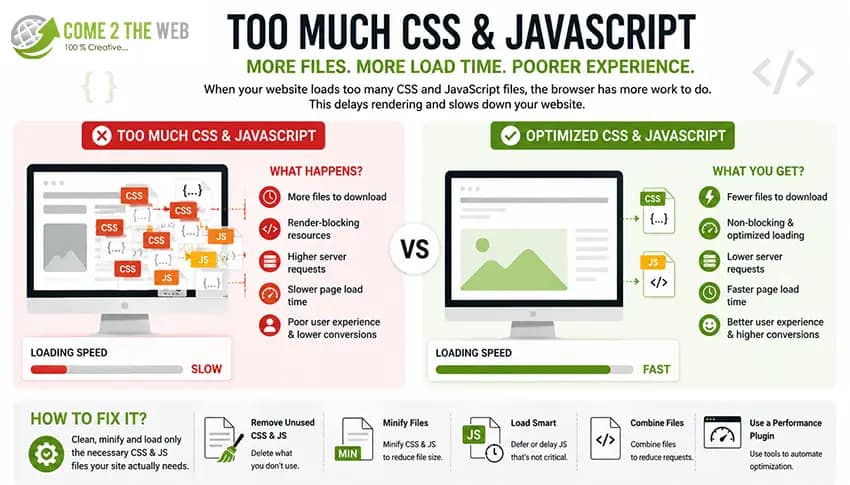
As websites evolve, they often accumulate unnecessary CSS and JavaScript files.
Old plugins leave assets behind.
Themes load files that aren’t required.
Page builders add styling for elements no longer on the page.
All of this increases the number of files browsers must download.
Reducing unnecessary CSS and JavaScript helps pages render faster.
Depending on your setup, this may include:
- Removing unused assets.
- Deferring non-critical JavaScript.
- Loading scripts only where they’re needed.
- Minifying CSS and JavaScript files.
Even small reductions across multiple files can noticeably improve loading performance.
7. Database Bloat
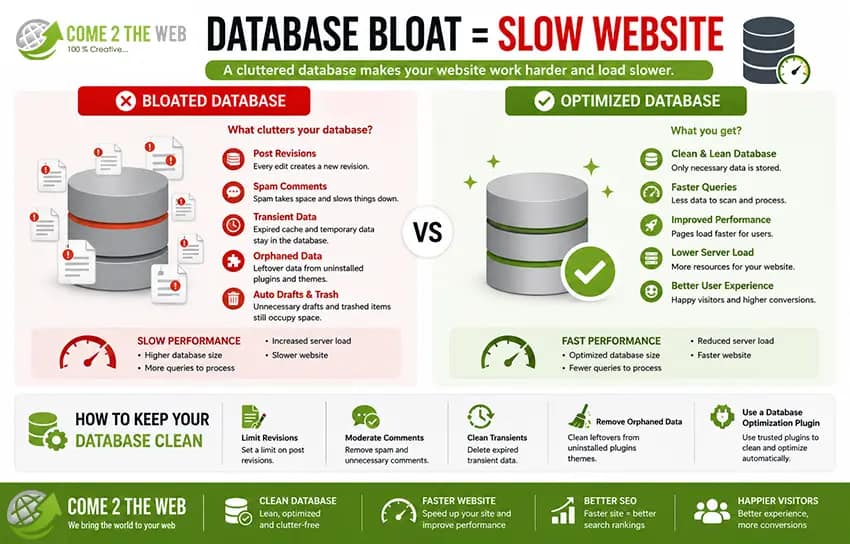
Your WordPress database stores much more than posts and pages.
Over time it collects:
- Old post revisions
- Spam comments
- Expired transients
- Plugin leftovers
- Temporary cached data
Most websites continue collecting this information for years without any cleanup.
A bloated database makes WordPress work harder than necessary.
Regular database optimization removes unnecessary records and helps improve performance.
While database cleanup alone won’t solve every speed problem, it’s an important part of long-term website maintenance.
8. Too Many External Scripts
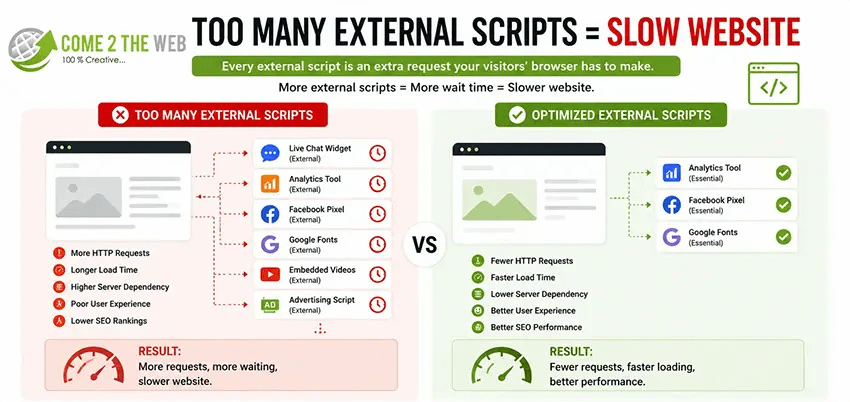
Your website doesn’t only load files from your own server.
Many websites also load content from third-party services like:
- Live chat widgets
- Analytics platforms
- Marketing tools
- Social media feeds
- Advertising networks
- Embedded videos
Every external request depends on another server responding quickly.
If one of those services is slow, your website can appear slow too.
Review these integrations regularly and ask yourself whether each one is still providing value.
Removing unnecessary third-party scripts often improves both loading speed and user experience.
9. Outdated WordPress Core, Themes, and Plugins

Running outdated software isn’t just a security risk.
Older plugins and themes may contain inefficient code or compatibility issues that affect performance.
Developers regularly release updates that include:
- Performance improvements
- Bug fixes
- Security patches
- Better compatibility with newer versions of WordPress and PHP
Keeping WordPress updated helps ensure your website continues running efficiently.
Before updating, always create a backup or test changes on a staging website if possible.
10. Malware or Hidden Scripts

Sometimes a slow website isn’t caused by poor optimization at all.
If your WordPress website has been hacked, malicious code may be running in the background.
Hidden scripts can:
- Consume server resources
- Generate unwanted traffic
- Send spam emails
- Redirect visitors
- Inject suspicious code into pages
Besides slowing your website, malware can damage your reputation and even cause Google to display security warnings.
If your website suddenly becomes much slower without any obvious reason, it’s worth performing a malware scan.
Addressing security issues early can prevent much larger problems later.
A Small Optimization That Often Gets Missed
During website speed optimization projects, we often notice that browser caching isn’t configured correctly.
This means returning visitors keep downloading the same images, fonts, CSS, and JavaScript files every time they visit your website.
One simple improvement is setting efficient browser cache lifetimes using your .htaccess file.
If you’re comfortable making small server changes yourself, we’ve already published a step-by-step guide that explains exactly how to do it.
👉 Fix “Use Efficient Cache Lifetimes” in WordPress – Simple .htaccess Solution (Copy & Paste)
It’s a quick optimization that can improve repeat visits without installing another plugin.
When Should You Consider Professional Website Speed Optimization?
Basic improvements like compressing images or removing unused plugins are a great starting point.
However, if your website is still slow after trying the common fixes, the issue may be deeper.
For example:
- Slow database queries
- Poor server configuration
- Render-blocking resources
- Core Web Vitals problems
- Plugin conflicts
- PHP performance issues
- Theme-related bottlenecks
These problems usually require a more detailed audit rather than guessing what might be wrong.
At Come2theweb, we regularly optimize WordPress websites by identifying the actual cause of slow performance instead of simply installing another caching plugin.
Our services include:
- Website Speed Optimization
- WordPress Development
- Website Maintenance
- Managed Hosting
- WordPress Security & Malware Removal
Every website is different, so the best solution is always based on what’s actually slowing your website down.
Conclusion
There isn’t one single reason why WordPress websites become slow.
In most cases, several small issues combine over time, large images, unnecessary plugins, outdated software, external scripts, and years of accumulated database data.
The good news is that nearly all of these problems can be identified and fixed.
A faster website creates a better experience for your visitors, improves search performance, and helps turn more visitors into customers.
If your website still feels slow after trying the basics, a proper performance audit can save hours of trial and error and uncover the real bottlenecks holding your website back.